How Automated OG Images Work on This Site
Every post on this site gets a custom social card at build time. No manual work required. Here's how it works.
When you share a post from this site on Twitter, iMessage, or Slack, a preview card appears with the post title, excerpt, and date. That image is generated automatically for every post at build time. No Photoshop, no Figma, no manual step.
Here’s how it works.
The stack
- satori converts a JSX-like object tree into an SVG
- @resvg/resvg-js renders that SVG into a PNG
Satori is the same library Vercel uses for their OG image generation. It takes a virtual DOM description and a font config, and outputs an SVG string. Resvg turns that into a PNG binary.
The route
The image generation lives at src/pages/og/[...slug].png.ts. Astro treats the .png as part of the route, so generated files end up at URLs like /og/2026/04/16-automated-og-images.png.
The file has two exports: getStaticPaths and GET.
getStaticPaths runs at build time and tells Astro which images to generate. It loads every post from the content collection and maps each one to a route param plus the metadata needed for the image:
export async function getStaticPaths() {
  const posts = await getCollection("posts");
  return posts.map((post) => ({
    params: { slug: post.id },
    props: {
      title: post.data.title,
      excerpt: post.data.excerpt,
      date: post.data.date,
    },
  }));
}
GET receives those props and builds the image. It reads the font files, passes a virtual element tree to satori, and pipes the resulting SVG through resvg to get a PNG:
export async function GET({ props }) {
  const { title, excerpt, date } = props;

  const regularFont = readFileSync(resolve("src/fonts/JetBrainsMono-Regular.ttf"));
  const boldFont = readFileSync(resolve("src/fonts/JetBrainsMono-Bold.ttf"));

  const svg = await satori(
    { type: "div", props: { /* layout tree */ } },
    { width: 1200, height: 630, fonts: [...] }
  );

  const png = new Resvg(svg).render().asPng();
  return new Response(png, { headers: { "Content-Type": "image/png" } });
}
The design
Every image is 1200x630px, which is the standard OG image size.
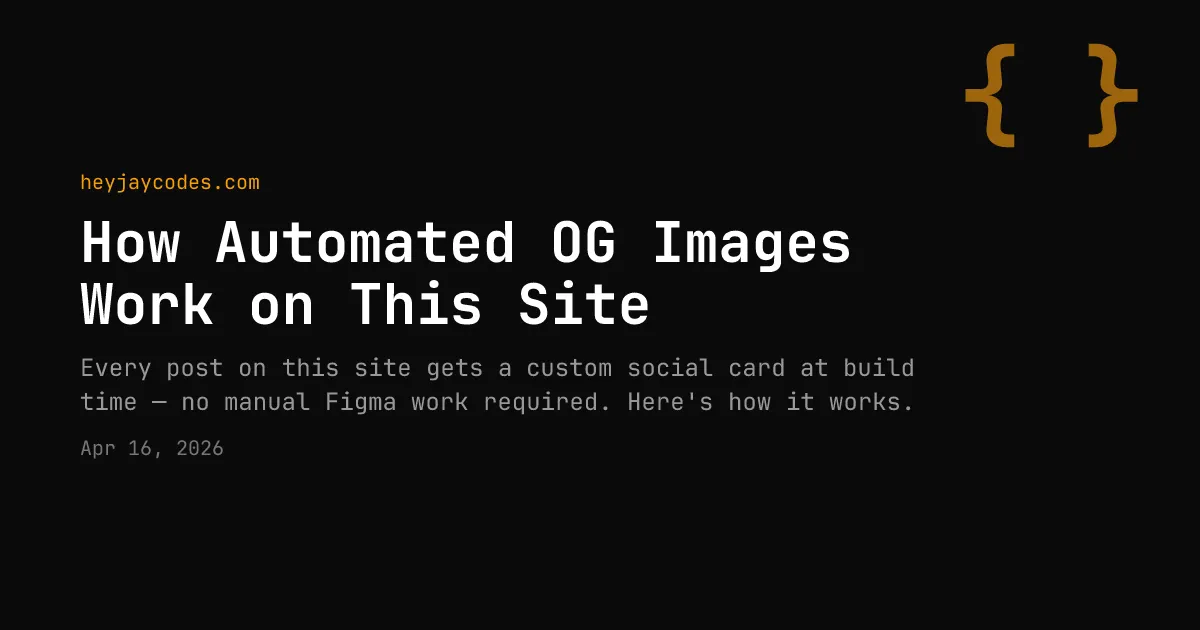
post.data.titleis the large bold white textpost.data.excerptis the smaller gray text below the titlepost.data.dateis the small dimmed text at the bottom, passed throughformatDate()- The domain is hardcoded to
heyjaycodes.comin amber
Everything uses JetBrains Mono, which matches the site’s monospace aesthetic.
Adding it to each post
Each post page passes its OG image path to the Base.astro layout:
<Base ogImage={`/og/${post.id}.png`} ogType="article">Base.astro constructs the full URL using Astro.site and injects the standard Open Graph and Twitter Card meta tags. Pages without a post-specific image fall back to the static /og-image.png in public/.
Why this works well
I considered two alternatives: making images by hand or using a hosted service like Cloudinary. Making images by hand means extra work every time you publish, with no guarantee they’ll look consistent. A hosted service solves consistency but introduces a dependency and usually costs money.
Satori + resvg at build time avoids both problems. The images are static files in dist/, so there’s no serverless function to maintain and no runtime latency. It runs locally, costs nothing, and produces the same output every time.
I'm looking for my next thing, whether that's full-time, consulting, or a long-term contract. If you're building something where the details matter, I'd like to hear about it. Send me an email.